

Pssst. I wrote a Markdown specification for this workflow. Feed it to Claude Code and it’ll build the scripts and prompts. If you want to skip all my boring writing and cute puppy pictures, you can grab the specification from GitHub. If you’ve never used Claude Code, want to see why I built this the way I did, or if you’re not a monster and you like looking at puppies, keep reading.
Writing ALT text sucks. Writing ALT text for 27,000 images is enough to send me right off the Cliffs Of Insanity. I got AI to do the work for me. Here’s how.
OK, not really AI, but large language models. I was pedantically assaulted after my last post.
But AI isn’t a magical solution. We’re not in a Star Trek episode. Yet. You can’t say, “Computer, please generate ALT text for all images on this website.” I tried. The results were hilarious, but expensive and sub-par.
Automated ALT text generation at scale is harder than it sounds because of five problems:
- Vision. Your tool has to “see” the image and make a reasonable interpretation of its content
- Context. ALT text needs to account for the page on which the image is included and the text adjacent to it
- Subject matter. Requirements may vary based on the kinds of images and their subject matter
- Quality control. You don’t need 100% perfection, but your ALT text needs to make sense for thousands of images, and you can’t check by hand
- Resources vs. skill. This can’t cost a gajillion dollars or melt your laptop to slag. It also can’t require a ton of development expertise. Not if I’m building it, at least
This ain’t easy. I couldn’t just write prompts and connect MCP servers until I got what I wanted.
So I needed a tool that would:
- Fetch a list of all images on a site
- Filter that list to include only images lacking ALT text
- Deduplicate that list
- Grab the page content and metadata for all source pages
- Use the Claude API to analyze each image
- Using the image analysis, page metadata, and content adjacent to the image, generate ALT text
- Provide an import-ready list of images, ALT text, and source pages
- Not require me to write any code. So Claude Code has to do all the work
Don’t deploy anything written in Claude Code to a production environment. Ever. This is hackery of the first order. Get a real, expert developer who will either code from scratch or use their experience to fix whatever amateur stupidity Claude introduced. I use the Claude-Code-only method because this code will never see the light of day, and because even AI can do a better job than I can.
What you’ll need
Assuming you do this my way:
- Claude Code to write the Python script. I’ve been playing with Google Antigravity, and it’s impressive, but it’s also new and untested. Use at your own risk
- Python is my language of choice. You can use something else. I use Python because I know enough to make sure generated code isn’t a security hazard, and I can check what Claude writes. And, when Claude Code ends up in an endless loop of stupidity, I can debug and rewrite as needed
- Screaming Frog builds the list of linked images and source pages
- My complete specification, which you’ll use to build this whole toolset. Keep reading
Step one: Use Claude Code
You’re gonna need to build this whole process. That’s the skill problem (it was for me, anyway). Enter Anthropic’s Claude Code.
Claude is almost as cute as my dog.
I’ve written a complete specification. Claude Code can use it to create the scripts, folders, etc.
- If you don’t have one, create a Claude account. Also, create an Anthropic account and get an API key. You can generate a key here
- I’m going to assume you know how to use Claude Code. If you don’t, have a look at Anthropic’s quickstart here
- The quickstart assumes you’ve got an existing project. Since you’re not using an existing project, put the Markdown specification in your sad, nearly-empty project folder.
- Then use a prompt like this: “I’ve given you a Markdown file called specification.md. Using the information in that file, build me the ALT text generator app.”
Then run it. And test it. Make sure it’s doing what you want before you spend $500 generating ALT text. I don’t give refunds, and Anthropic probably doesn’t, either.
Anthropic? Claude? Wha? Anthropic is the company that created Claude. When you use an API to access Claude, you’re using the Anthropic API, and you need to go to console.anthropic.com to set it all up.
Step two: Prepare your input
If you use my specification, you’ll need two files:
The input file is a CSV containing source page and linked image information. Any name will do, because you’ll provide the filename when you run the script.
The instructions file is a Markdown document with instructions for the specific website and images you’re processing. Here’s an example:
Put some thought into this! This file handles the subject matter problem. It can also help you manage costs. See how my file asked Claude to check its work? That’s expensive. The bigger the site, the less you’ll want to do that.
Step three: Get the images and export the list
Run a javascript-enabled Screaming Frog crawl of the site. Then export the full list of images from your crawl.
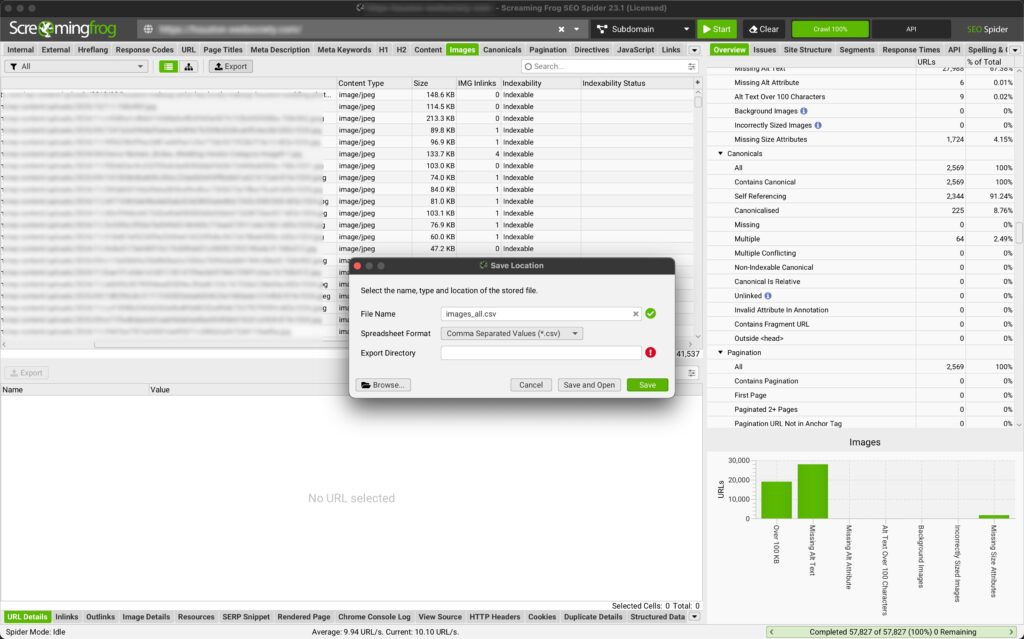
Ian, you ask, why the hell wouldn’t you just bulk export a list of source pages and linked images, and leave out all the other columns?
Because we’re going to tell Claude to ignore certain files and image sizes, and Screaming Frog can give us that. So there.
Step four: Run the Python script
Run the Python script. If you use my specification, your command will look something like this:
python generate_alt_text.py files/alfred-images.csv --instructions files/alfred-instructions.md --scrape-delay 1 -o files/justimages.csv
The parameters may look scary, but they’re pretty simple:
files/alfred-images.csv: The list of source pages and linked images.
–instructions: The custom instructions markdown file.
–scrape-delay: The number of seconds to pause between pages.
-o: Where the script will put the result.
What the script is doing
The script sifts through the list of images. It scrapes each source page, grabbing the title tag, the H1, any headings adjacent to the image, and any caption adjacent to the image. This helps with the context problem.
The H1 and title tag lend context for all images on the page:
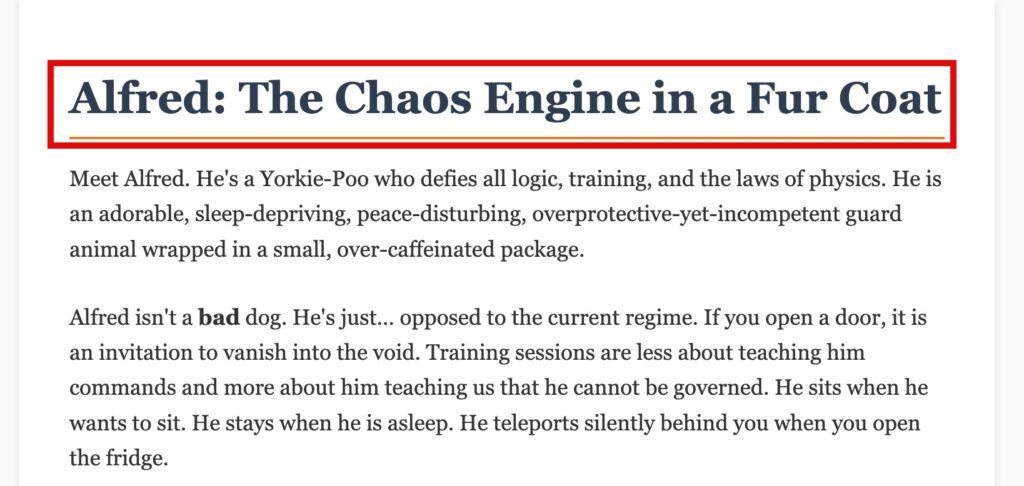
The H1 and page title add context for all image ALT text on the page.
And then the H2 and caption adjacent adds context for the specific image’s ALT text:
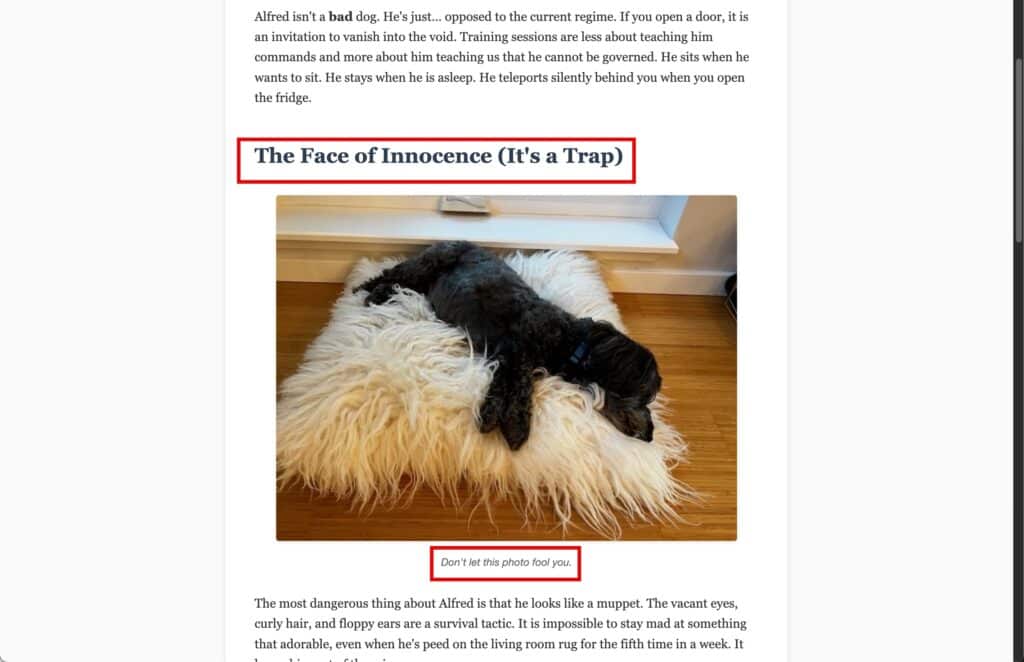
The H2 and caption add more precise context for each image’s ALT text.
Then it sends the image to the Anthropic API. Claude uses vision (that’s what they call it – I’m not being all hand-wavy) to analyze the image subject matter and returns a short description. It’s pretty good. It occasionally thought my yorkie-poo was a schnoodle, but a custom instruction took care of that.
Finally, Claude uses the image description and the extracted page content to write an ALT attribute, which it inserts into a new CSV file.
Example: Alfred levitates
Here’s an example:
Page title: Alfred – The Yorkie-Poo Chaos Engine
Adjacent headline: Demonic Possession or Just Terrier?
Caption: Alfred levitates while carrying a disembodied sock
Here’s the image:
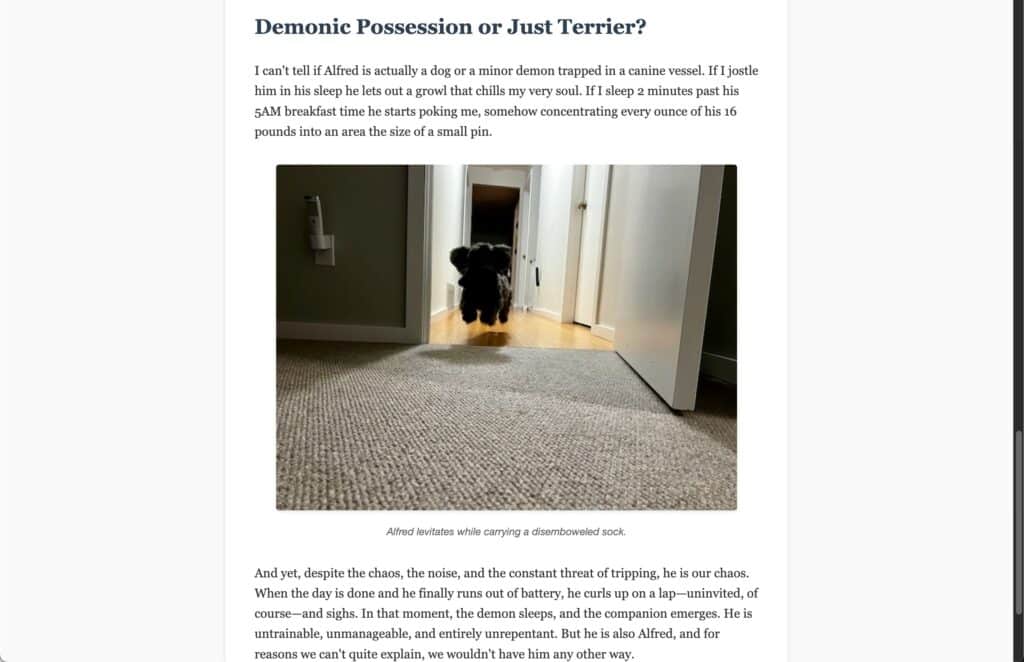
Isn’t he cute? That’s why I haven’t cooked him.
The resulting ALT text: “Demonic Yorkie-Poo named Alfred carries a sock and levitates”
Not gonna win any awards, but it’s accurate, and even has a little personality.
Resource management
I tried a bunch of strategies to reduce costs. These are what worked:
- Sending images in 20-image batches
- Removing images smaller than a minimum size. For my purposes, a 600-pixel image probably wasn’t essential content, so in the instructions Markdown I asked the script to ignore those
- Small. Runs. At. First. Protect your bank account, and your CPU
- Some parsing of filenames. Responsive sites may have multiple copies of images at different sizes. I had the script strip out dimensions, generate the ALT text, then apply that ALT text to all dimensions for that image. Check the “duplicate handling” section of the specification
Skills
I also had Claude create a Git repository. That way, when Claude or I inevitably broke something, I could roll back to the previous version. If you don’t know Git, I recommend learning it, but it’s not required for this post.
What you get
The script will then generate one or two files, depending on what you ask for: A CSV that contains a list of source pages, linked images, and generated ALT text, and a more compact file that contains a list of linked images and generated ALT text. The latter is handy if you’re going to import your ALT text into a CMS. The former is better if you’re going to insert ALT text into the raw HTML of every page (urk).
It’s just a CSV. Unexciting. Except that you just generated ALT text for thousands of images holy crap. THAT is exciting.
Total Anthropic API cost, & my poor laptop
Back to resources for a second: I processed 27,000 images for $300. You could do better. You might do worse. Still cheaper than therapy, which is what you’ll need more of, in perpetuity, if you try to hand-write all these ALTs.
I ran this on my laptop, which was annoying as hell but didn’t cause any performance issues. Still, I don’t recommend it. One cat across the keyboard and you’ve got to start over. If you’ve got a spare computer lying around, you can use that. Or set something up on AWS. Or, just use your laptop. It WORKS. It just isn’t pretty.
Pro tip: Don’t set up auto reload for your Anthropic API credits. Better to have the whole process stop while you replenish your account than spend $20,000 overnight because you crawled an archived image folder.
Note: Ian, can you share your code?
Nope. My code is a pile of old chewing gum, LEGO, and old boxes on a three-legged table. I won’t share it. I will share the specification, though:
Plug that into Claude Code and you’ll be off to a great start. Did I mention never, ever deploy code Claude’s written to production? Good. Just checking.